
How to Buy and Sell on Facebook Marketplace Using Your Phone—and Actually Make Money
In recent years, Facebook Marketplace has exploded into one of the go-to platforms for people looking to buy and sell just about anything. From second-hand gadgets to brand-new furniture, millions of users scroll through listings every single day. The best part? You don’t need a fancy setup—just your smartphone is enough to get started.
But here’s the truth: simply uploading a couple of pictures isn’t enough to succeed. To make real money, you need to know how to stand out, attract serious buyers, and close deals safely.
This guide walks you through everything you need to know—from setting up Marketplace on your phone, to strategies for selling faster, buying smart, and even turning the platform into a steady side hustle.
Step 1: Getting Started on Facebook Marketplace
If you already have the Facebook app, you’re halfway there. Accessing Marketplace is simple:
- Open the app on your phone.
- Tap the shop-shaped Marketplace icon.
- Enable location services so you can see nearby deals.
✨ Pro tip: Make sure your profile looks legitimate. Use a real photo, your correct location, and avoid suspicious content. Buyers are far more likely to trust you when your account looks authentic.
Step 2: Selling on Facebook Marketplace from Your Phone
1. Pick the Right Products
Some items move faster than others. Bestsellers include:
- Electronics (phones, laptops, smartwatches)
- Small home appliances (air fryers, blenders, microwaves)
- Quality furniture
- Baby items
- Fashion (especially branded clothes and shoes)
- Fitness equipment
Choosing in-demand products boosts your chances of making a quick sale.
2. Create a Listing That Sells
Think of your listing as your storefront. Make it shine:
- Use clear, well-lit photos from different angles. Natural light works wonders.
- Write a catchy yet descriptive title. Example: “iPhone 12 Pro Max – 128GB, Excellent Condition.”
- Be honest about the condition, features, and any flaws. Transparency builds trust.
- Research similar listings to set a fair, competitive price.
3. Share Beyond Marketplace
After listing, post your item in local Facebook buy-and-sell groups. More visibility = faster sales.
4. Respond Quickly
Buyers often message multiple sellers. A fast reply increases your chance of closing the deal.
5. Safe Payments
Stick to safe methods—cash, mobile transfers, or escrow services. Always meet in public, well-lit areas.
Step 3: Buying Smart on Facebook Marketplace
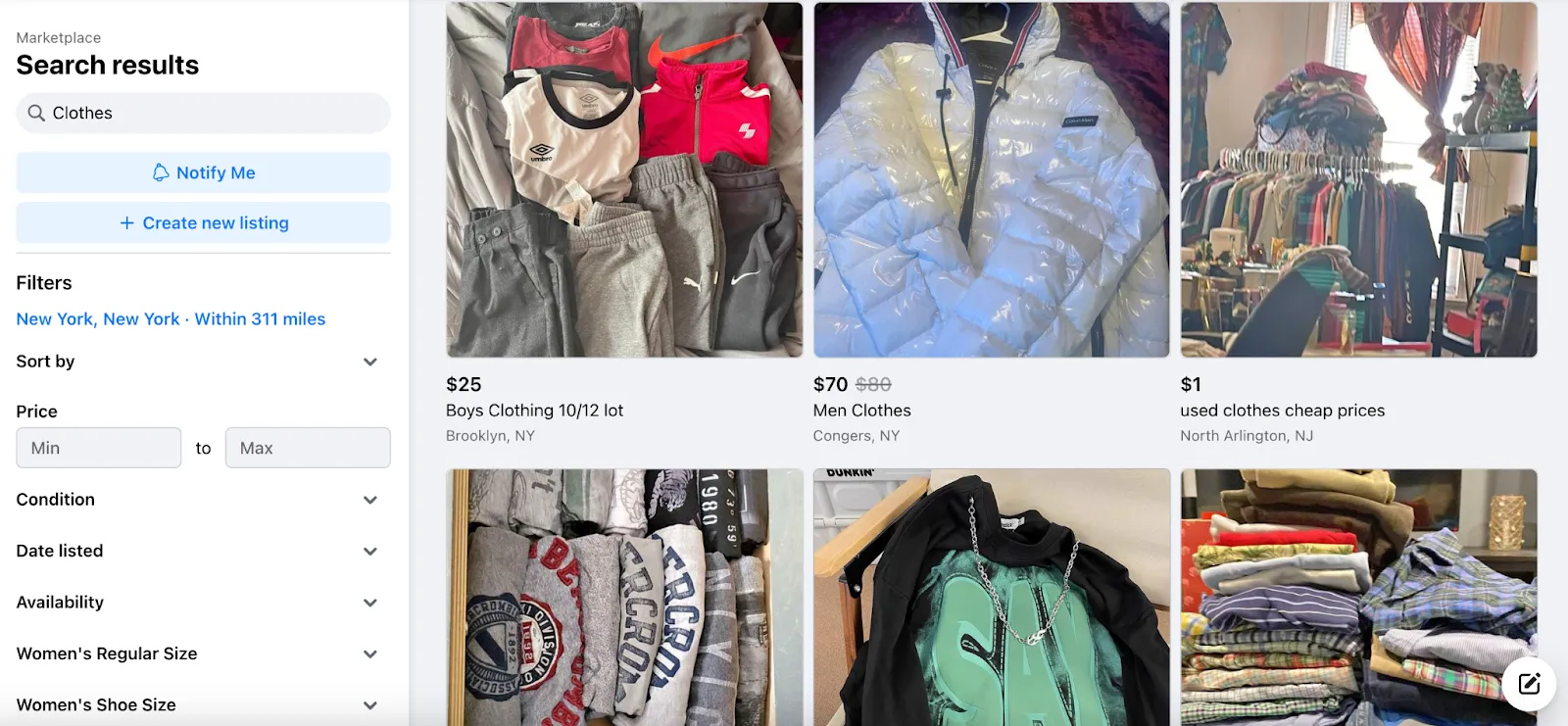
1. Master Search & Filters
- Use specific keywords (e.g., “Dell laptop 16GB RAM”).
- Filter by location, price, and condition.
- Sort by Newest Listings to spot fresh deals first.
2. Negotiate Like a Pro
Sellers usually expect negotiation. Offer reasonably without lowballing—it keeps the conversation friendly and productive.
3. Check the Seller
- Review their profile for red flags.
- Look for ratings or activity history.
- Be cautious of accounts with no photo or very few friends.
4. Inspect Before Paying
Test electronics, check clothing for wear, and ensure everything matches the description before handing over money.
Step 4: Turning Marketplace into a Side Hustle
Facebook Marketplace isn’t just for decluttering—it can be a legitimate income stream. Here are a few ways people are making money:
- Product Flipping: Buy undervalued items, then resell at a higher price.
- Handmade & Customized Goods: Sell crafts, jewelry, or personalized items directly to local buyers.
- Dropshipping: List items from suppliers who ship directly to customers.
- Seasonal Sales: Take advantage of trends—school supplies during back-to-school season, decorations during the holidays, etc.
Step 5: Tips to Sell Faster
- Refresh old listings with new photos or updated prices.
- Use relevant keywords so your item pops up in more searches.
- Bundle similar items together for better deals.
- Always be honest—misleading descriptions lead to bad reviews.
- Build a reputation—successful sales attract repeat buyers.
Step 6: Stay Safe and Avoid Scams
Scams do exist, but you can protect yourself:
- Meet in busy, public locations.
- Bring a friend if possible.
- Never share personal financial details.
- Don’t ship until you’ve been paid.
- Watch for “overpayment scams” where buyers send extra money and ask for a refund.
Step 7: Use Built-In Facebook Tools
Facebook makes selling easier with:
- Saved Searches (get alerts for items you want).
- Mark as Sold (to avoid endless messages).
- Boost Listing (optional paid ads to increase reach).
Step 8: Track Your Progress
Treat it like a mini-business:
- Keep a record of items bought, sold, and profit margins.
- Monitor monthly earnings.
- Identify what sells best to improve your strategy.
Final Thoughts
Selling and buying on Facebook Marketplace is one of the easiest ways to earn extra cash straight from your phone. With the right products, good presentation, quick communication, and safe practices, you can turn it into a consistent money-making tool.
Think of it this way: your smartphone isn’t just for scrolling—it can literally put money in your pocket. 🚀