
How to Buy and Sell on Facebook Marketplace Using Your Phone—and Actually Make Money
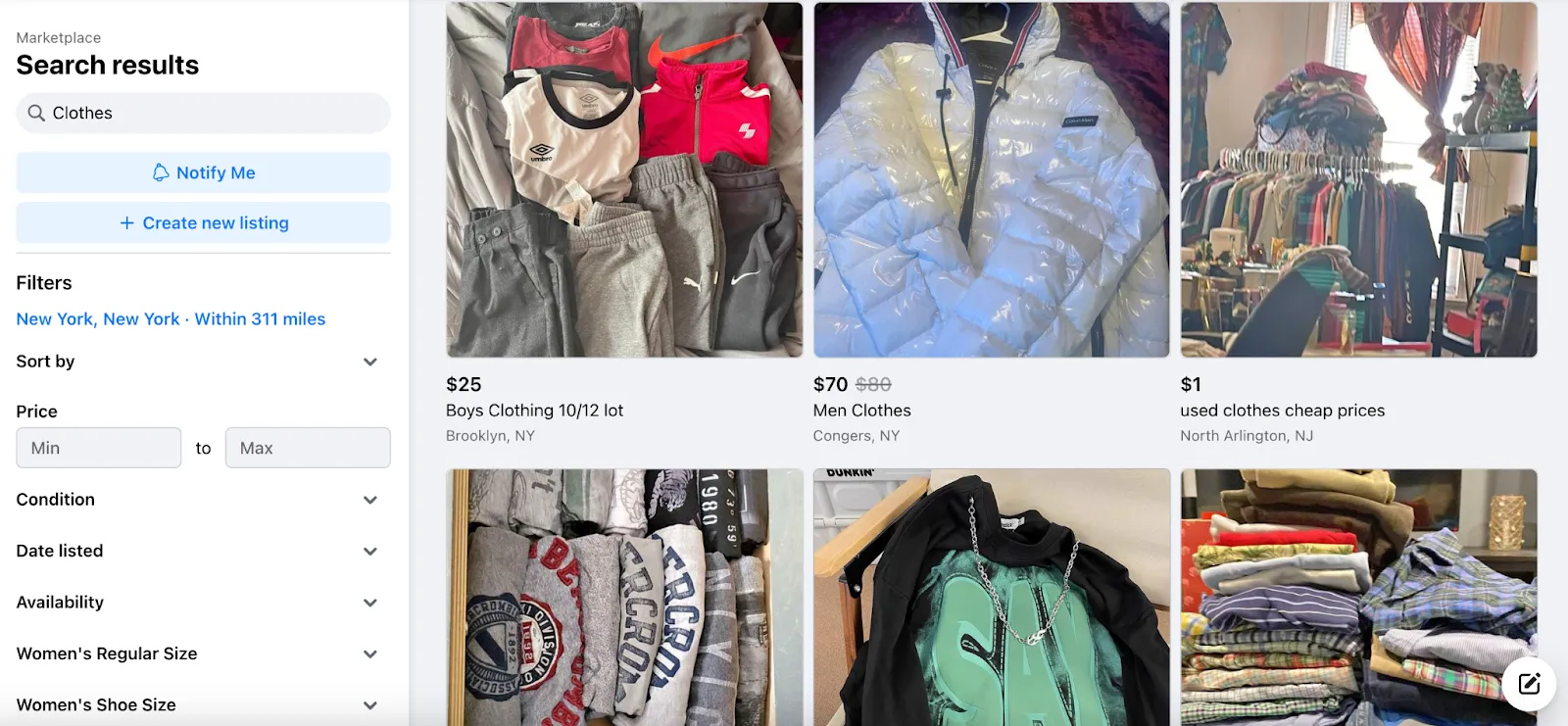
In recent years, Facebook Marketplace has exploded into one of the go-to platforms for people looking to buy and sell just about anything. From second-hand gadgets to brand-new furniture, millions of users scroll through listings every single day. The best part? You don’t need a fancy setup—just your smartphone is enough to get started. In fact, learning to use Facebook Marketplace on your phone is the single most accessible way to declutter your home, find amazing deals, or even launch a profitable side hustle. But here’s the truth: simply uploading a couple of pictures isn’t enough to succeed in 2026. With more sellers joining every week, you need to know how to stand out, attract serious buyers, and close deals safely—all from the palm of your hand.
This guide walks you through everything you need to know—from setting up Marketplace on your phone, to strategies for selling faster, buying smart, avoiding scams, and even turning the platform into a steady income stream. No laptop required. No special equipment. Just your phone, a few minutes a day, and the right know-how.
READ ALSO How to Grow Your Business with Facebook Marketplace: A Fun Step-by-Step Guide
Let’s dive in.
Why Facebook Marketplace on Your Phone Is a Game Changer
Before we get into the step-by-step tactics, let’s talk about why this matters. Facebook Marketplace is now used by over one billion people monthly. Unlike eBay or Craigslist, it’s built directly into an app you probably already have. You don’t need to create a new account or learn a complicated interface. And because it lives on your phone, you can list an item, reply to buyers, and arrange pickups while waiting for coffee, riding the bus, or watching TV. That convenience is exactly why so many people are making real money from their couches. But convenience alone doesn’t pay the bills. The sellers who win are those who treat Marketplace like a mini-business. That’s exactly what this guide will teach you.
How to Buy and Sell on Facebook Marketplace Using Your Phone—and Actually Make Money
Step 1: Getting Started with Facebook Marketplace on Your Phone
If you already have the Facebook app, you’re halfway there. Accessing the Marketplace is simple and takes less than 30 seconds.
How to access Marketplace on your phone (iOS & Android):
-
Open the Facebook app on your phone.
-
Look for the shop-shaped Marketplace icon at the bottom (iOS) or top (Android) of your screen. It looks like a storefront with a roof.
-
Tap it. The first time you do, Facebook will ask you to enable location services. Say yes. This allows you to see nearby deals and show your listings to local buyers.
-
That’s it. You’re in.
✨ Pro tip: Before you start buying or selling, make sure your profile looks legitimate. Use a real photo of yourself (not a logo or cartoon), set your correct city, and avoid suspicious content like fake names or empty timelines. Buyers and sellers are far more likely to trust you when your account looks authentic. A profile created in 2026 with no friends, no posts, and a stock photo is a major red flag.
Step 2: Selling on Facebook Marketplace from Your Phone
Selling is where the real opportunity lies. Whether you’re clearing out your garage or building a side business, these steps will help you sell faster and for better prices.
2.1 Pick the Right Products
Some items move faster than others. If you want quick sales, focus on categories with high demand and easy shipping or pickup.
Bestsellers on Facebook Marketplace in 2026 include:
-
Electronics (phones, laptops, smartwatches, headphones)
-
Small home appliances (air fryers, blenders, instant pots, microwaves)
-
Quality furniture (dining tables, sofas, desks, bookshelves)
-
Baby items (strollers, cribs, carriers, high chairs)
-
Fashion (branded clothes, shoes, handbags, watches)
-
Fitness equipment (dumbbells, yoga mats, resistance bands, stationary bikes)
-
Tools and gardening equipment
Choosing in-demand products boosts your chances of making a quick sale. If you’ve been trying to sell a niche item for weeks without interest, it’s probably time to donate it or lower the price significantly.
READ ALSO 10 Facebook Marketplace Scams in the US You Must Avoid (2026)
2.2 Create a Listing That Sells (From Your Phone)
Think of your listing as your digital storefront. On a small phone screen, you have about two seconds to grab attention. Here’s how to make those seconds count.
Photos that sell:
-
Take clear, well-lit photos from multiple angles. Natural daylight near a window is your best friend. Avoid overhead yellow lights or dark corners.
-
Shoot at least 4–5 photos: front, back, sides, close-up of any unique features, and a photo that shows scale (e.g., a coffee mug next to a blender).
-
Wipe down your item before photographing. Dust and smudges look lazy.
-
No filters. Buyers want to see the real condition.
Titles that get clicks:
Be specific. A bad title: “Phone for sale.” A good title: “iPhone 13 Pro Max – 256GB – Graphite – Excellent Condition.” Include brand, model, size, color, and condition.
Descriptions that close the deal:
Write as if the buyer is standing in front of you asking questions. Include:
-
Exact condition (new, like new, gently used, fair)
-
Any flaws (scratches, dents, missing parts) — honesty builds trust
-
Reason for selling (optional but helpful: “Upgraded to a newer model”)
-
Dimensions for furniture or appliances
-
Pickup location (general area, not your full address)
Pricing right:
Research similar active listings. Price about 10% above your minimum so you have room to negotiate. If you’re not sure, start slightly high — you can always lower the price later.
2.3 Share Beyond Marketplace
After you create your listing, don’t let it sit there alone. Tap the “Share” button and post your item in local Facebook buy-and-sell groups. More visibility equals faster sales. Aim for 3–5 local groups per listing. Just make sure you follow each group’s rules (some limit how often you can post).
2.4 Respond Quickly
Buyers often message five sellers at once. The first one who replies politely and helpfully usually gets the sale. Turn on push notifications for Messenger. If you can’t reply immediately, use a saved reply: “Hi, yes this is still available. I’m available for pickup after 4 PM today. Let me know what works for you.”
2.5 Safe Payments on Mobile
Stick to safe methods: cash in person is still king. For larger amounts, accept mobile transfers via Venmo, CashApp, or Zelle — but only complete the transfer while standing with the buyer. Never ship an item before receiving payment. Never click a “verification” link a buyer sends you. Those are scams.
Step 3: Buying Smart on Facebook Marketplace
Buying on Marketplace can save you hundreds of dollars — if you know what to look for. Here’s how to shop smart from your phone.
3.1 Master Search & Filters
The search bar is powerful. Use specific keywords like “Dell XPS 15 laptop 32GB RAM” instead of just “laptop.” Then use filters:
-
Location: Stay within 10–20 miles for easy pickup.
-
Price range: Set a minimum and maximum.
-
Condition: New, like new, or used.
-
Sort by: “Newest listings” first to spot fresh deals before anyone else.
3.2 Negotiate Like a Pro
Sellers almost always expect negotiation. Don’t be shy — but don’t be rude either. A good opening line: “Hi, I’m very interested. Would you take $[offer] if I pick up today?” Reasonable offers (10–20% below asking) keep the conversation friendly. Lowballing at 50% off usually gets you ignored.
3.3 Check the Seller
Before you message, tap the seller’s profile. Look for:
-
A real photo and name
-
An account that’s more than a year old
-
Friends in common (optional but reassuring)
-
Previous Marketplace listings or ratings
Be cautious of accounts with no photo, very few friends, or that were created in the last month. These aren’t always scams, but they deserve extra scrutiny.
READ ALSO How to Make $500 a Week Flipping Items on Facebook Marketplace (Beginner Friendly)
3.4 Inspect Before Paying
This is the golden rule of buying on Marketplace. Never hand over money until you’ve seen the item in person. Test electronics. Plug them in. Open and close moving parts. Check clothing for stains, rips, or smells. Sit on furniture. If something feels off or the seller rushes you, walk away.
Step 4: Turning Marketplace into a Side Hustle
Facebook Marketplace isn’t just for decluttering — it can be a legitimate income stream. In 2026, thousands of people are earning part-time or even full-time incomes using only their phones. Here are the most common business models:
Product Flipping: Buy undervalued items (garage sales, clearance racks, estate sales) and resell them higher on Marketplace. Example: buy a $50 dresser, refinish it, sell for $150.
Handmade & Customized Goods: Sell crafts, jewelry, custom t-shirts, personalized mugs, or home décor directly to local buyers. No Etsy fees.
Dropshipping (Advanced): List items from suppliers who ship directly to customers. Requires more research and payment processing — but doable from a phone.
Seasonal Sales: Take advantage of trends — school supplies in July/August, holiday decorations in October–December, fitness gear in January, gardening tools in spring.
Freight & Bulk Flipping: Buy pallets of returned merchandise from liquidation sites and sell individual items on Marketplace. Higher risk, higher reward.
Pro tip: Start with what you already own. Sell 10 unused items from your home. Once you see how it works, reinvest that money into flipping.
Step 5: Tips to Sell Faster (From Your Phone)
If your items are sitting for weeks, try these fixes:
-
Refresh old listings. Delete and relist after 7–10 days. Facebook buries older listings.
-
Update photos. Take new ones in better lighting. Sometimes a fresh angle is all it takes.
-
Lower the price by 10–15%. You can always edit the price directly in your listing.
-
Use relevant keywords. “Samsung 55-inch 4K Smart TV” beats “TV” every time.
-
Bundle similar items. “Lot of 5 baby onesies – all size 6-9 months” sells faster than individual onesies.
-
Be honest in descriptions. Misleading buyers leads to bad reviews and wasted trips.
-
Build a reputation. After a few successful sales, buyers will recognize your name. Repeat business is real on Marketplace.
Step 6: Stay Safe and Avoid Scams
Scams do exist on Facebook Marketplace, but you can protect yourself with a few simple rules.
Common scams in 2026:
-
Overpayment scam: Buyer sends you a fake check or fake payment confirmation for more than the asking price, then asks you to refund the difference. Don’t.
-
Verification code scam: “I want to buy your item. I’ll send you a code to verify you’re real. Read me the code.” That code is actually a password reset for your account. Never share it.
-
Fake shipping labels: For shipped items, buyers send fake tracking numbers. Stick to in-person pickup for high-value items.
-
Phishing links: Buyers send links to “confirm your listing” or “verify payment.” These steal your login info. Never click.
Safety checklist for every transaction:
-
Meet in a busy, public location (police station lobby, bank parking lot, coffee shop).
-
Bring a friend if possible.
-
Never share your home address until the buyer is confirmed and on the way.
-
Stick to cash or in-person mobile transfers only.
-
Don’t ship until you’ve been paid in full (and even then, shipping carries risk).
-
Trust your gut. If a deal feels wrong, cancel.
Step 7: Use Built-In Facebook Tools on Your Phone
Facebook makes selling easier with features you might have missed:
-
Saved Searches: Tap the “Save Search” button after searching for an item. Facebook will notify you when new matches are listed.
-
Mark as Sold: After selling, mark your listing as sold. This stops endless “Is this available?” messages.
-
Boost Listing (Optional): For a small fee, you can promote your listing to more people. Start with $5 and see if it’s worth it. Not necessary for most sellers.
-
Ratings & Reviews: After a sale, politely ask the buyer to rate you. A 5-star profile sells faster.
Step 8: Track Your Progress Like a Mini-Business
If you’re serious about turning Marketplace into income, treat it like a business — even if it’s just a side hustle.
What to track (use a simple notes app or spreadsheet on your phone):
-
Items bought (cost, date, source)
-
Items sold (price, date, profit)
-
Total monthly earnings
-
What categories sell best in your area
After one month, you’ll have real data. Maybe fitness equipment sells fast in your town. Maybe baby gear is saturated. Use that information to double down on what works.
Final Thoughts
Selling and buying on Facebook Marketplace on your phone is one of the easiest, most accessible ways to earn extra cash, save money on things you need, or even build a real side business. You don’t need a website, a marketing budget, or any special skills. Just your phone, a few clear photos, honest descriptions, fast replies, and basic safety awareness.
READ ALSO Flipping Facebook Marketplace Items Beginner Secrets: $1,000 Month Revealed
The smartphone in your pocket isn’t just for scrolling through memes and news feeds. It can literally put money in your pocket — one listing at a time.
Start today. List one item you no longer use. Reply to messages within minutes. Meet a buyer tomorrow. Watch your first dollar appear. Then do it again.
🚀 Your smartphone = your side hustle. Go get it.